

Router
app└─ blog ├─ layout.tsx ├─ template.tsx └─ page.tsx特点
layout.tsx布局是多个页面共享UI,例如导航栏、侧边栏、底部等template.tsx模板是基本功能与布局一样,只是不会保存状态
渲染顺序:当布局跟模板同时存在时,layout -> template -> page
区别
- 状态管理:布局会在页面切换时保持状态,而模板会重新渲染
Dynamic Route
Section titled “Dynamic Route”"use client";
import { useParams } from "next/navigation";
// URL: /blog/1 /blog/2export default function Page() { const params = useParams<{ id: string }>(); console.log(params);
return ( <div> <p>Page with ID: {params.id}</p> </div> );}"use client";
import { useParams } from "next/navigation";
// URL:/blog/123/456export default function Page() { const params = useParams<{ id: string }>(); console.log(params);
return ( <div> <p>Page with ID: {params.id}</p> </div> );}"use client";
import { useParams } from "next/navigation";
// URL: /blog /blog/12export default function Page() { const params = useParams<{ id: string }>(); console.log(params);
return ( <div> <p>Page with ID: {params.id}</p> </div> );}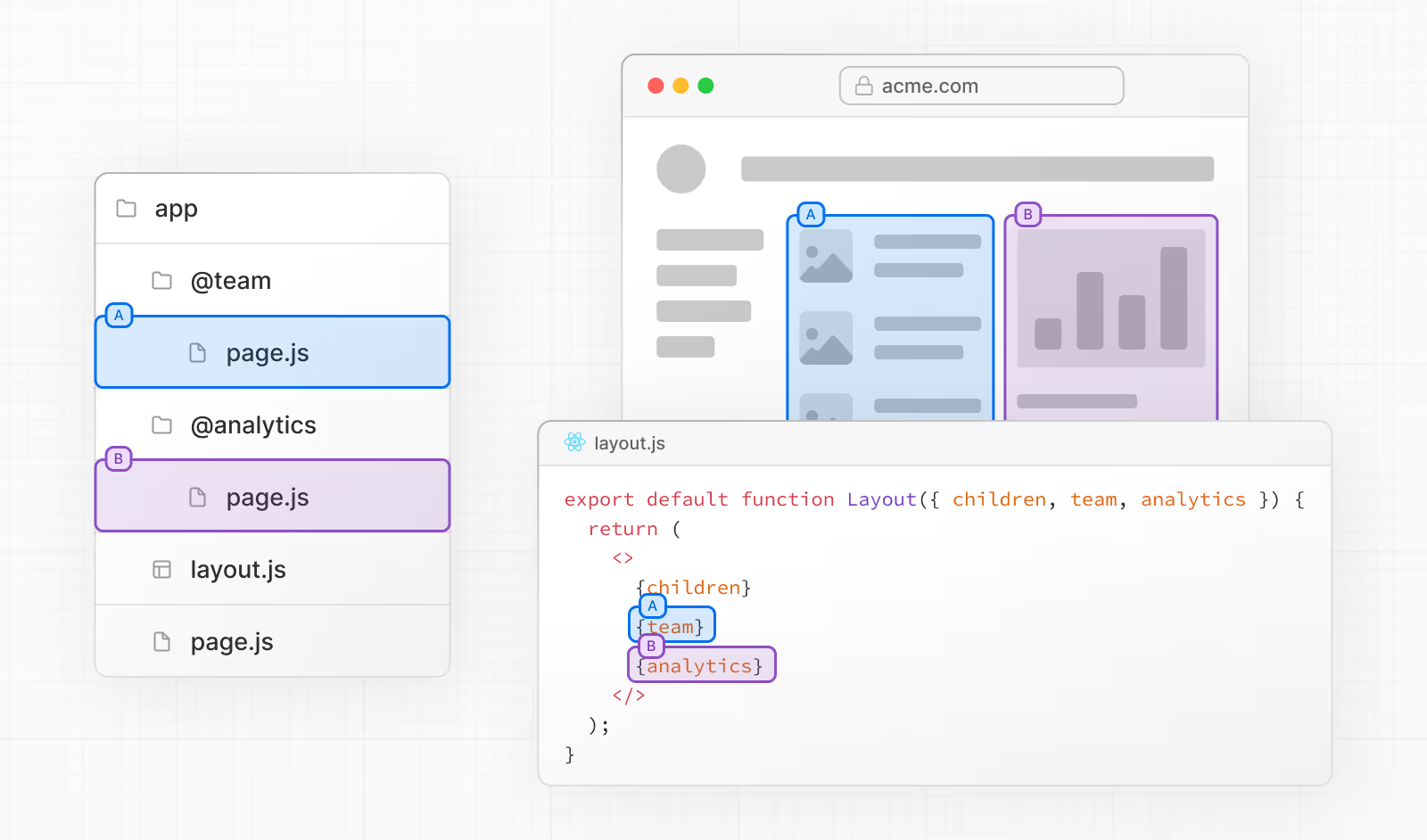
├── @team│ ├── page.tsx│ ├── user│ │ └── page.tsx└── @analytics│ └── page.tsx└── layout.tsx└── page.tsxexport default function DashboardLayout({ children, team, analytics,}: { children: React.ReactNode; analytics: React.ReactNode; team: React.ReactNode;}) { return ( <section> {children} {team} {analytics} </section> );}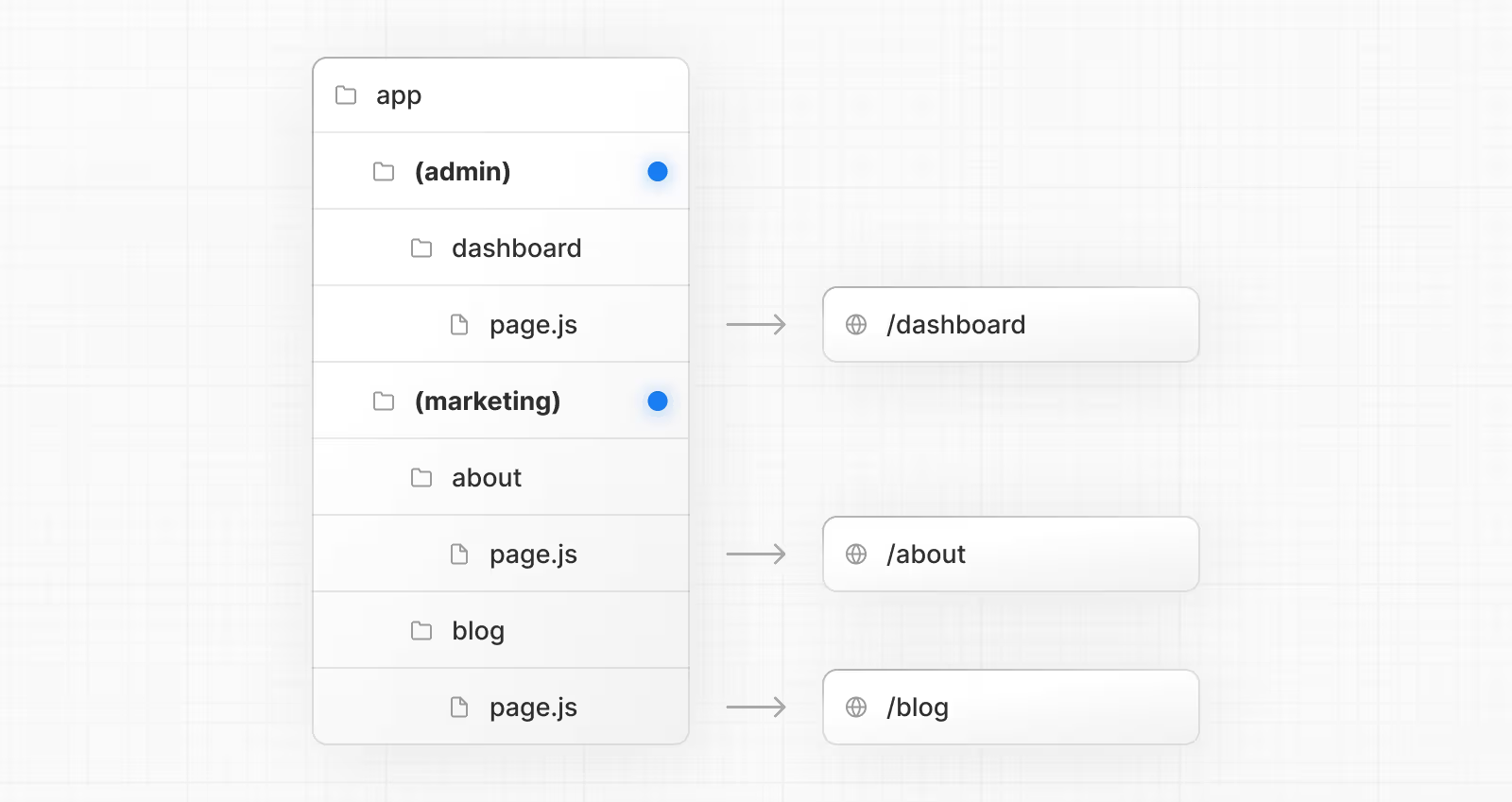
- 先将
app目录下的layout.tsx删除 - 在每个组的目录下创建
layout.tsx,并定义html、body标签